Why JSON errors are so frustrating
JSON looks simple. It's just brackets, quotes, and commas — how hard can it be? But that simplicity is exactly why JSON errors are so annoying. A single misplaced character makes the entire document unparseable, and the error message you get back is often vague or points to the wrong line.
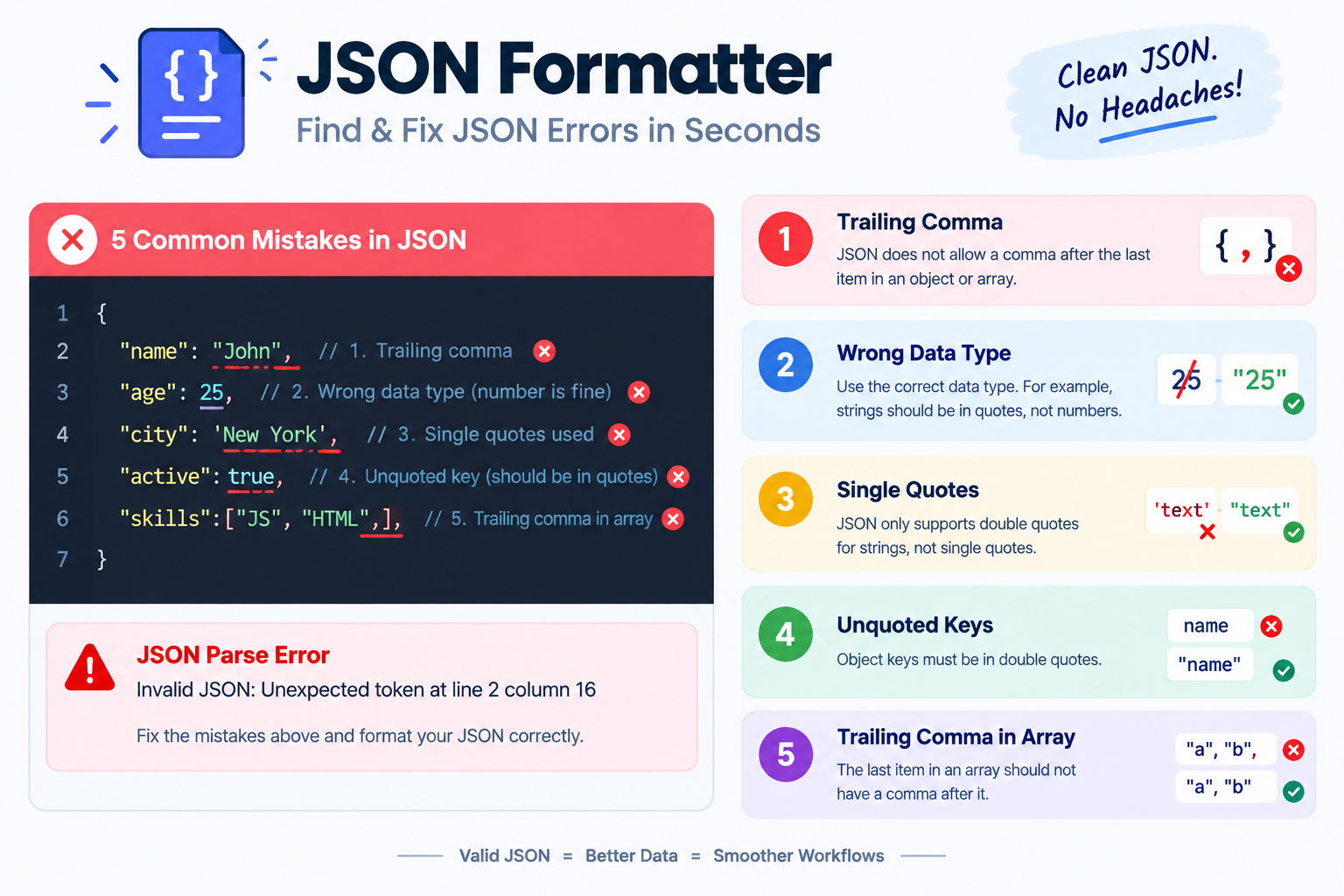
If you're hand-writing JSON or pasting it from somewhere else, the same five mistakes come up again and again. The good news: once you know what to look for, you can spot and fix them in seconds.
Paste your JSON into the JSON Formatter. It validates the syntax and highlights the exact spot where parsing fails — no guessing required.
1 Trailing commas
This is the most common JSON error by far. In JavaScript, you can leave a comma after the last item in an object or array. In JSON, you cannot.
{
  "name": "Alice",
  "age": 30,
}{
"name": "Alice",
"age": 30
}The fix is simple: delete the comma that comes immediately before a closing brace } or closing bracket ]. If you're generating JSON by hand, do a quick scan of the file for any , that's followed (after whitespace) by } or ].
2 Unquoted keys
JavaScript lets you write object keys without quotes. JSON does not. Every key must be a double-quoted string.
{
  name: "Alice",
  age: 30
}{
"name": "Alice",
"age": 30
}This mistake is especially common when someone copies a JavaScript object literal and assumes it's valid JSON. It isn't. If your JSON parser is complaining about an "unexpected token" near the start of a key, this is almost certainly the cause.
3 Single quotes
JSON only accepts double quotes — for both keys and string values. Single quotes are not valid, and neither are backticks.
{
  'name': 'Alice',
  "age": 30
}{
"name": "Alice",
"age": 30
}The fix is a straight find-and-replace: swap every ' for ". Just watch out for apostrophes inside string values — those should stay as-is, since they're part of the text, not the syntax.
4 Missing commas
Every key-value pair in an object, and every element in an array, must be separated by a comma — except the last one. Forget one, and the parser will throw an error on the line that follows.
{
  "name": "Alice"
  "age": 30
}{
"name": "Alice",
"age": 30
}The confusing part is that the error usually points to the next line, not the line with the missing comma. If you get an error like "expected ',' or '}' after property value", scan the line above for a missing comma.
5 Comments in JSON
JSON has no comment syntax. You can't use // or /* */ — both will break parsing.
{
  // user's display name
  "name": "Alice",
  "age": 30
}{
"name": "Alice",
"age": 30
}If you need comments for a config file, use a format that supports them — JSONC, YAML, or TOML. But if the data has to be parsed by a strict JSON parser, strip the comments out first.
JSON ValidatorFind the exact line and character where JSON parsing fails
The JSON debugging checklist
When JSON won't parse, work through this list in order. It catches the vast majority of issues.
- Remove trailing commas. Look for
,immediately before}or]. - Quote every key. All object keys must be wrapped in
". - Swap single quotes for double. Only
"is valid in JSON. - Check for missing commas. Every item except the last needs one.
- Strip comments. No
//or/* */allowed. - Validate with a tool. Use the JSON Validator to confirm the fix.
Once your JSON is valid, run it through the JSON Formatter to make it readable. It indents everything correctly and highlights the structure so you can spot issues at a glance. If you're shipping JSON to production, the JSON Minifier strips the whitespace back out.
If your JSON is one long unformatted line, formatting it first makes every error easier to spot. Indentation reveals missing commas and trailing commas instantly — because they end up at the start or end of a visible line instead of being buried in the middle.